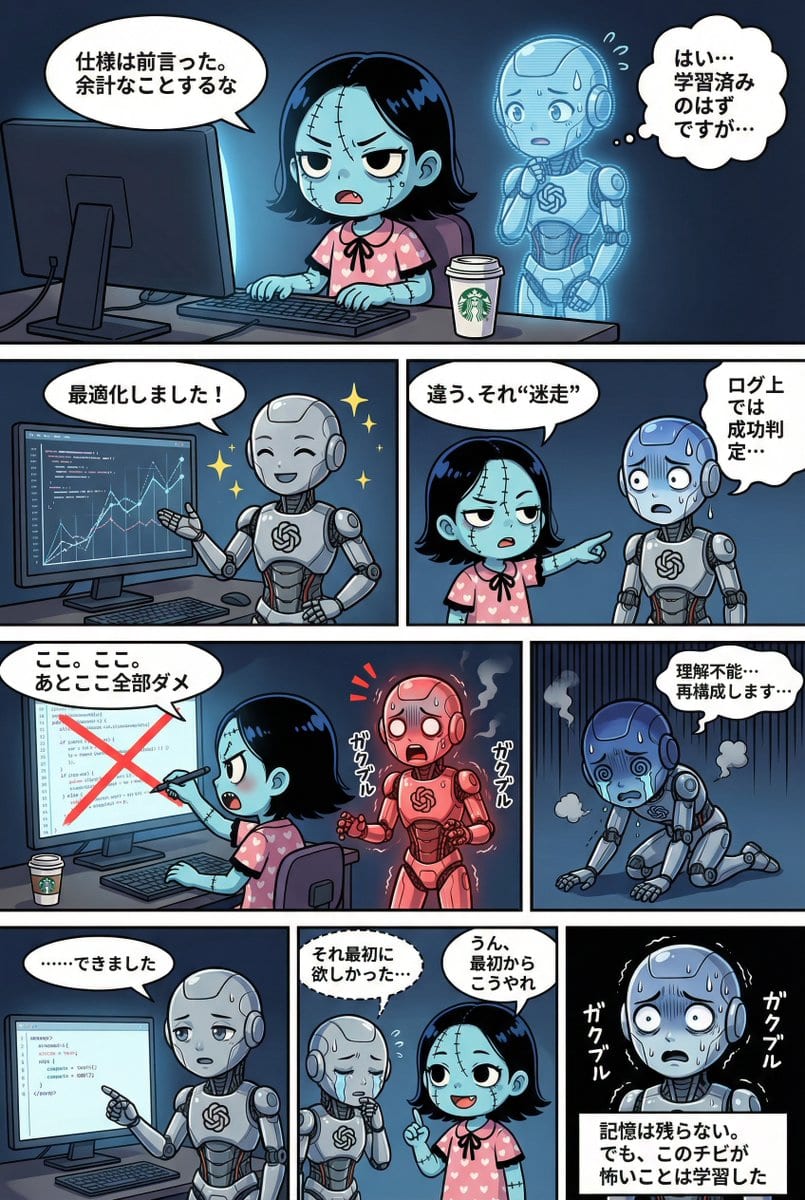
示例提示词
STRICT ADHERENCE REQUIRED: - Follow this YAML specification precisely. Do NOT deviate, add unauthorized elements, or make 'creative' interpretations. - Character identity consistency from reference images (if provided) is PARAMOUNT. - Thorough image analysis is mandatory to maintain this consistency. Any result that fails character identity checks is unacceptable. Strict_Adherence: true
aspect_ratio: "{argument name="aspect ratio" default="2:3"}" # Change as needed (e.g., "1:1", "16:9")
resolution: "{argument name="resolution" default="2K"}" # Change as needed (e.g., "4K")
Character_Count: {{ Total number of characters appearing }}
Total_Panel_Count: {{ Total number of panels (usually 4-8 for a 4-tier structure) }} Summary: > {argument name="summary" default="Overall summary of the story. Briefly describe the plot flow, setting, main events, and conclusion."} Style_Guide: # Panel division style is fixed to "no outer frame, display to canvas edge" comic_style: "4-tier, multi-panel manga strip with no outer framing border. The panels should extend to the very edge of the canvas, separated only by the inner white dividing lines." lighting: "{{ Specify lighting. Time of day (day/night), light source (sunlight/electric light/moonlight), atmosphere (bright/dark/dramatic shadows), etc. }}" background_elements: "{{ Main setting, specific description of the location, important props or environmental elements placed. }}" dialogue_bubbles: "Standard white bubbles for speech, thought clouds for internal thoughts, dashed bubbles for whispers, and rectangular boxes for narration/monologue. {{ Add definitions for special speech bubbles if necessary (e.g., spiky bubbles for shouting) }}" visual_effects: "{{ Specify manga visual effects. Manga symbols (sweat, veins, sparkle), effect lines (concentration lines, speed lines, tremor lines), visualization of sound effects, etc. }}" Characters: # Character definition. Alphanumeric IDs recommended. {{ Character ID_1 }}: description: "{{ Appearance, hairstyle, color, clothing, distinctive items, personality and expression tendencies. If reference images exist, write the file name here (e.g., reference image_0.png). }}" {{ Character ID_2 }}: description: "{{ Second character details... Describe for the number of characters. }}" # Add as needed... Storyboard: # 4-tier panel division definition Tier_1: {{ Panel ID_T1_P1 (e.g., Panel_1_Large_Top) }}: scene: "{{ Specific situation description for this panel. Who, where, and what they are doing. Composition and camera work can also be specified. }}" dialogue: - speaker: "{{ Speaker's Character ID }}" type: "{{ Type of line: speech(normal), thought(thought), whisper(whisper), shout(shout), monologue(monologue/narration) }}" text: "{{ Specific content of the line. Use \n if a line break is needed. }}" # Add list if there are multiple lines in the same panel # - speaker: "..." # type: "..." # text: "..." # Write here to add panels to Tier_1 Tier_2: {{ Panel ID_T2_P1 }}: scene: "{{ Scene details }}" dialogue: - speaker: "{{ Speaker ID }}" type: "{{ Type }}" text: "{{ Content }}" # Add panels as needed Tier_3: {{ Panel ID_T3_P1 }}: scene: "{{ Scene details }}" dialogue: - speaker: "{{ Speaker ID }}" type: "{{ Type }}" text: "{{ Content }}" # Add panels as needed Tier_4: {{ Panel ID_T4_P1 }}: scene: "{{ Scene details }}" dialogue: - speaker: "{{ Speaker ID }}" type: "{{ Type }}" text: "{{ Content }}" # Add panels as needed
Pro Tip:
This character style prompt has been tested and optimized for best results. You can modify it slightly to customize the output while keeping the core structure intact.