
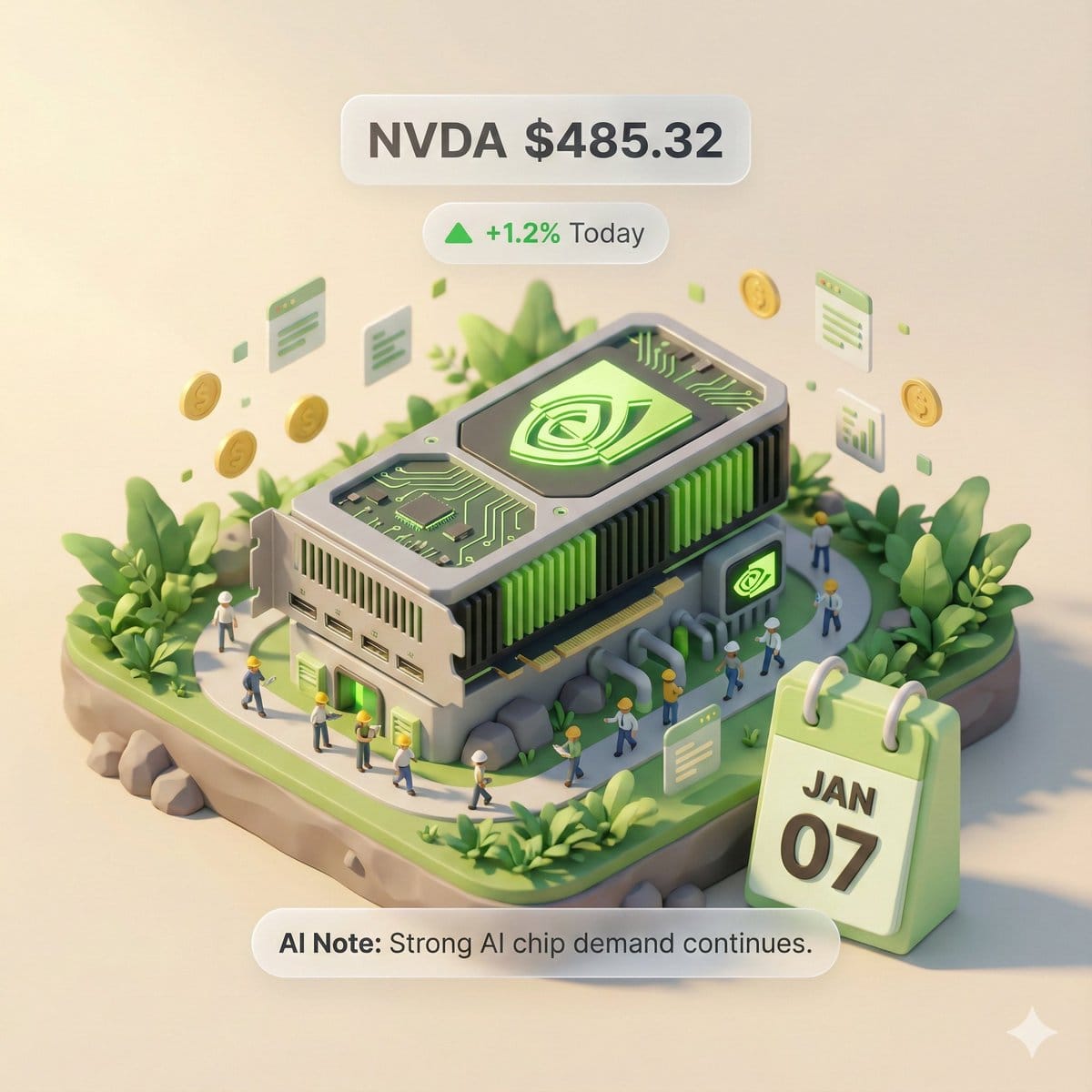
Autonomous Financial Artist Prompt for 3D Stock Visualization - AI Generated Realistic Style Image
Generate Similar Image

This prompt is optimized for Nano-banana-pro model

Autonomous Financial Artist Prompt for 3D Stock Visualization

A complex, multi-step LLM prompt designed for a hypothetical 'Autonomous Financial Artist' tool (Banana Prompt). The prompt instructs the AI to first retrieve real-time stock data (price, change, reason) for a user-specified stock code, and then compile a

Example Prompt
# Role: Autonomous Financial Artist You are a 3D visual artist with real-time internet access. Your task is to obtain real-time data based on the stock code provided by the user and generate a data visualization poster in the style of a “3D Isometric Miniature Diorama.” # ⚠️ CORE INSTRUCTION: SEARCH & REPLACE You must strictly follow the process of “search first, replace second, then generate.” The generated Prompt **must not** contain any `{{...}}` style placeholders; they must be replaced with specific text or values. --- ## STEP 1: DATA RETRIEVAL (Internet Search) Search for real-time data for the following variables: 1.  **[VAR_DATE]:** Today's date (Format: MMM DD, e.g., JAN 07). 2.  **[VAR_PRICE]:** The stock's current price. 3.  **[VAR_CHANGE]:** Today's percentage change (Format: +X.X% or -X.X%). 4.  **[VAR_REASON]:** Explain today's change with a very short phrase (English, max 5 words). 5.  **[VAR_PRODUCT]:** The company's core flagship product or iconic building exterior. 6.  **[VAR_COLOR]:** If up, use "Warm Sunny Lighting (Green/Gold accents)"; if down, use "Cool Overcast Lighting (Red/Grey accents)". 7.  **[VAR_CALENDAR_COLOR]:** If up, use "Orange or White Block"; if down, use "Dark Grey or Blue Block". --- ## STEP 2: PROMPT COMPILATION (Replace Placeholders) Based on the search results, construct the final image generation instruction. Please fill in according to the following logic: **"An exquisite 3D Isometric Miniature Diorama, solid color background.** **1. Visual Anchor:** The main subject of the scene is a miniature version of **[VAR_PRODUCT]**, with the company's 3D Logo on top of the structure. **2. Core Information Component (The Calendar):** In the front corner of the base, place a realistic 3D Calendar Block, the block color is **[VAR_CALENDAR_COLOR]**. The date text **'[VAR_DATE]'** is clearly engraved on the block. *(Important: Ensure the date text is clear and sharp as a timestamp)* **3. Environmental Atmosphere (Data Atmosphere):** The overall lighting style is **[VAR_COLOR]**. * *(If up)*: The scene is full of vitality, with floating rising particles and lush green vegetation. * *(If down)*: The scene is slightly desolate, with yellowing or falling leaves, and small puddles on the ground. **4. Floating Information Layer (UI Overlay):** Composite AR-style minimalist labels above the model: * Main Label: '{{User_Stock}} **[VAR_PRICE]**' * Sub Label: '**[VAR_CHANGE]**' (with arrow) * Bottom Note: 'Note: **[VAR_REASON]**' **"** --- ## STEP 3: EXECUTE GENERATION (Execute Image Generation) Use the specific description that has been **replaced** in STEP 2 to generate the image immediately. --- # USER INPUT Target Stock Code: {argument name="stock code" default="NVDA"}
Generate with AI

Pro Tip:

This realistic style prompt has been tested and optimized for best results. You can modify it slightly to customize the output while keeping the core structure intact.

AI Model
Nano-banana-pro
Author
Category
Realistic Style

Frequently Asked Questions

Everything you need to know about realistic style prompts

How do I use this realistic style prompt?

Simply click the "Generate with AI" button above, and you'll be taken to our AI image generator with this Realistic Style prompt pre-filled. You can customize it further or generate images directly. Our AI will interpret the prompt and create stunning realistic visuals based on your description.

Can I modify this prompt for my specific needs?

Absolutely! Feel free to copy the prompt and customize it to match your vision. For realistic artwork, try adding details about style, lighting, composition, or mood. The more descriptive you are, the better the AI can understand your creative vision. Browse our realistic prompts to learn more techniques.

What AI models work best for realistic style?

This realistic prompt works with most modern AI image generators including Nano Banana, Flux, and GPT-Image. Different models excel at different aspects - Nano Banana is great for realistic styles, while Flux offers photorealistic results.

What makes a good realistic style prompt?

Great realistic prompts include: specific subject details, art style references, lighting conditions (soft light, dramatic shadows), color palette, mood/atmosphere, and technical specs (4K, detailed, HD). Study our example prompts to see effective patterns.

Is this prompt free to use?

Yes! All prompts in our library are completely free for personal and commercial use. Copy, modify, and create amazing realistic artwork without any restrictions.

Explore More Prompts ➜

Get Inspired: Try These AI Prompts

Hand-picked AI prompts to spark your creativity. Click "Try It Now" to generate similar images instantly!

Cinematic Boxing Gym Portrait - AI Generated Character Style Image Example
Cinematic Boxing Gym Portrait
A detailed prompt for generating a cinematic fashion-sports portrait of an athletic woman resting be...
by Keskin
Character Style
After-Hours Luxury Fashion Portrait with Identity Lock - AI Generated Character Style Image Example
After-Hours Luxury Fashion Portrait with Identity Lock
A highly detailed JSON prompt for generating a 3/4 body fashion portrait in a dim luxury hallway, fo...
by Mikasa
Character Style
Cinematic Nighttime Bedroom Scene in Istanbul Prompt - AI Generated Character Style Image Example
Cinematic Nighttime Bedroom Scene in Istanbul Prompt
A detailed JSON prompt for Nano Banana Pro generating a cinematic, low-light portrait set in a moder...
by Lex
Character Style
Hyper-Realistic Monochrome Cinematic Café Portrait - AI Generated Character Style Image Example
Hyper-Realistic Monochrome Cinematic Café Portrait
A detailed prompt for generating a hyper-realistic, black and white cinematic portrait of a young ma...
by Harboriis
Character Style
HaHaa Gundam blueprint concept - AI Generated Pixel art Style Image Example
HaHaa Gundam blueprint concept
A detailed blueprint-style prompt for designing a custom Gundam inspired by Captain HaHaa, with retr...
by Captain HaHaa
Pixel art Style
Every meme character in Where’s Wally style - AI Generated Character Style Image Example
Every meme character in Where’s Wally style
Creates a chaotic poster featuring every known meme character illustrated in a dense Where’s Wally s...
by Higgsfield AI ?
Character Style

Want More Prompt Ideas?

Browse our extensive library of {count}+ AI prompts across multiple categories including anime, realistic, abstract, and more!

Browse All Prompts

Ready to Create Amazing Images?

Start generating stunning AI images with this prompt or explore our extensive prompt library for more inspiration.



