
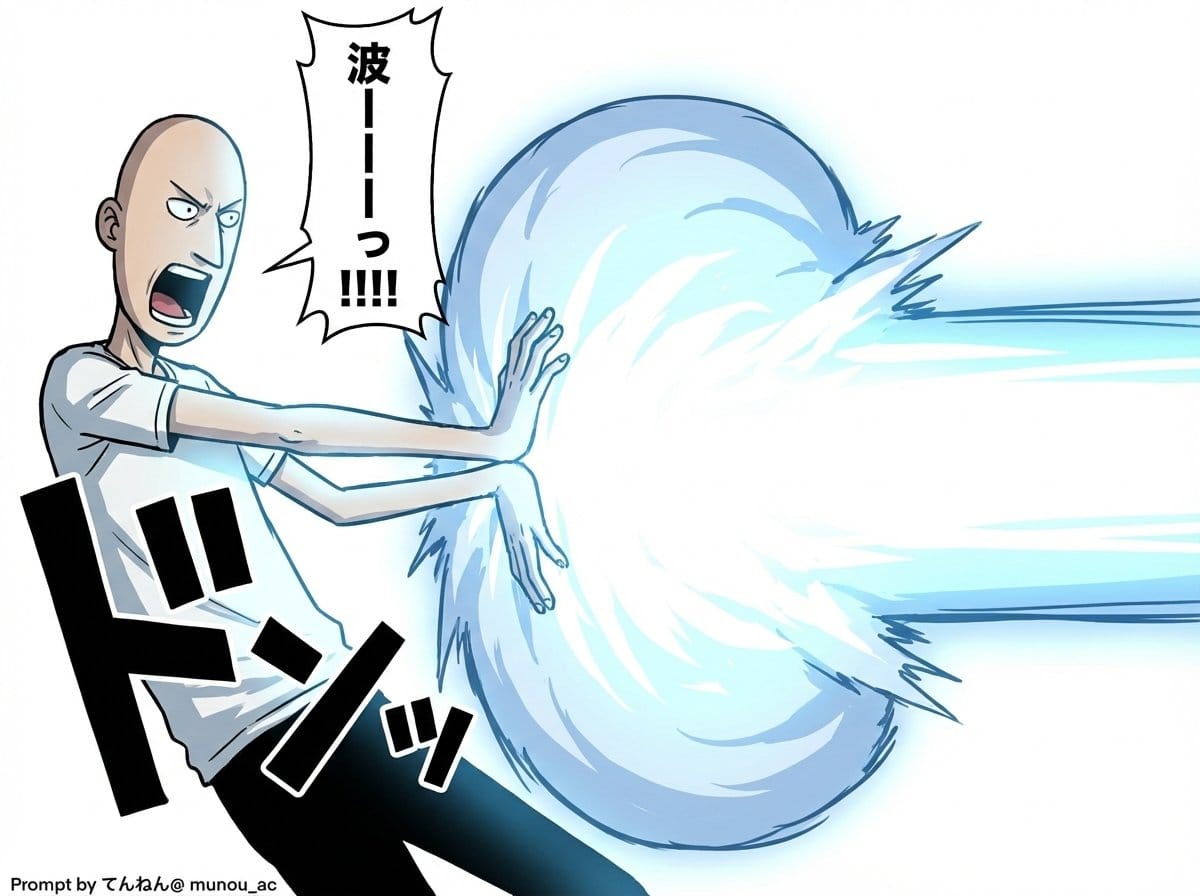
Kamehameha Attack Image Generation (Technical Prompt) - AI Generated Character Style Image
生成類似圖像

This prompt is optimized for Nano-banana-pro model

Kamehameha Attack Image Generation (Technical Prompt)

A highly detailed, technical prompt structure for Nano Banana Pro (v1.2) designed to generate an image of a character charging an energy attack (Kamehameha), focusing heavily on technical specifications like camera angles, lighting, visual effects (plasma

範例提示詞
# Image Generation Prompt: Nano Banana Pro v1.2 # 1. Basic Instructions - Task: Image Generation - Reference: Faithfully reproduce and maintain the character, clothing, and image style of the attached image - Quality: Super High Definition # 2. Technical Specifications - Aspect Ratio: 16:9 - Rendering Style: Based on the attached image style, apply Cell Shading + Volumetric Lighting - Line Art: Thin # 3. Camera Work and Composition - Camera: Virtual Camera / Focal Length 50mm / Aperture f/2.8 - Angle: 15-degree Dutch Angle - Focus: Focus on subject - Depth of Field: Shallow depth of field in the background (with blur) # 4. Scene Details A. Character - Appearance (Hair/Eyes/Clothing): [Completely maintain the style of the attached image] - Hair is flowing in reaction to energy pressure - Eyes are glowing, with a sharp anime-style shape - Pose & Action: - Action: Charging an energy attack - Stance: Feet spread and braced, torso twisted forward to the right - Hands: Cupped together facing each other (at hip height on the right), muscles are strongly tensed - Expression: Filled with determination and intense effort, mouth open shouting B. Lighting and Atmosphere - Global Illumination: #ffffff - Key Light: - Source: Energy ball between both hands - Color: Cyan Blue Electric - Intensity: 2.5EV overexposure (High Luminance) - Shadows: Sharp, dynamic shadows extending away from the center C. Visual Effects - Main Element: Spherical, turbulent plasma energy ball (between hands) - Core Color: #ffffff - Outer Glow: #00ffff - Particles: Blue sparks floating and rising - Lens Flare: Anamorphic blue light streaks - Bloom: Intensity 0.8 D. Background - Context: Abstract studio space - Visual: Simple gradient background - Colors: #ffffff to #c0efff * Prioritize layer detail colors over introduction specified colors - Detail Level: Low (to emphasize the subject) # 5. Text Elements - Manga Style Speech Bubbles Place vertical oval speech bubbles reacting to the timing of the shout, using the following coordinate image for placement Adjust flexibly so as not to interfere with the character - "{argument name="shout 1" default="ka..."}" : Top Left (X: 0.08, Y: 0.15) - "{argument name="shout 2" default="me..."}" : Middle Left (X: 0.22, Y: 0.35) - "{argument name="shout 3" default="ha..."}" : Middle Right (X: 0.78, Y: 0.55) - "{argument name="shout 4" default="me..."}" : Bottom Right (X: 0.90, Y: 0.75)
AI生成

Pro Tip:

This character style prompt has been tested and optimized for best results. You can modify it slightly to customize the output while keeping the core structure intact.

AI模型
Nano-banana-pro
Category
Character Style

常見問題

關於character style提示詞,你想知道的一切

如何使用這個character style提示詞?

只需點擊上面的「AI生成」按鈕,即可跳轉到我們的AI圖像生成器,並且這個Character Style提示詞已自動填好。你可以進一步自訂或直接生成圖像。我們的AI會解讀提示詞,並根據你的描述創建出令人驚嘆的character視覺效果。

我可以根據特定需求修改這個提示詞嗎?

當然可以!隨意複製並定製這個提示詞,以實現你的創作構想。對於character藝術作品,嘗試添加風格、光線、構圖或情緒等細節。你的描述越具體,AI就越能理解你的創意。瀏覽我們的character提示詞合集,學習更多技巧。

哪些AI模型最適合生成character style圖像?

這個character提示詞適用於大多數現代AI圖像生成器,包括Nano Banana、Flux和GPT-Image。不同的模型各有專長——Nano Banana擅長character風格,而Flux則能生成逼真的照片級效果。

怎樣才算是一個好的character style提示詞?

優秀的character提示詞通常包含:具體的主題細節、藝術風格參考、光線條件(如柔光、戲劇性陰影)、色彩搭配、情緒/氛圍以及技術規格(如4K、細節豐富、高清)。研究我們的範例提示詞,可以學到有效的模式。

這個提示詞可以免費使用嗎?

是的!我們庫中的所有提示詞,無論是個人還是商業用途,都完全免費。你可以隨意複製、修改,並創作出色的character藝術作品,沒有限制。

準備好創作驚豔圖像了嗎?

立即使用這個提示詞開始生成令人讚嘆的AI圖像,或者瀏覽我們豐富的提示詞庫,獲取更多靈感。



