
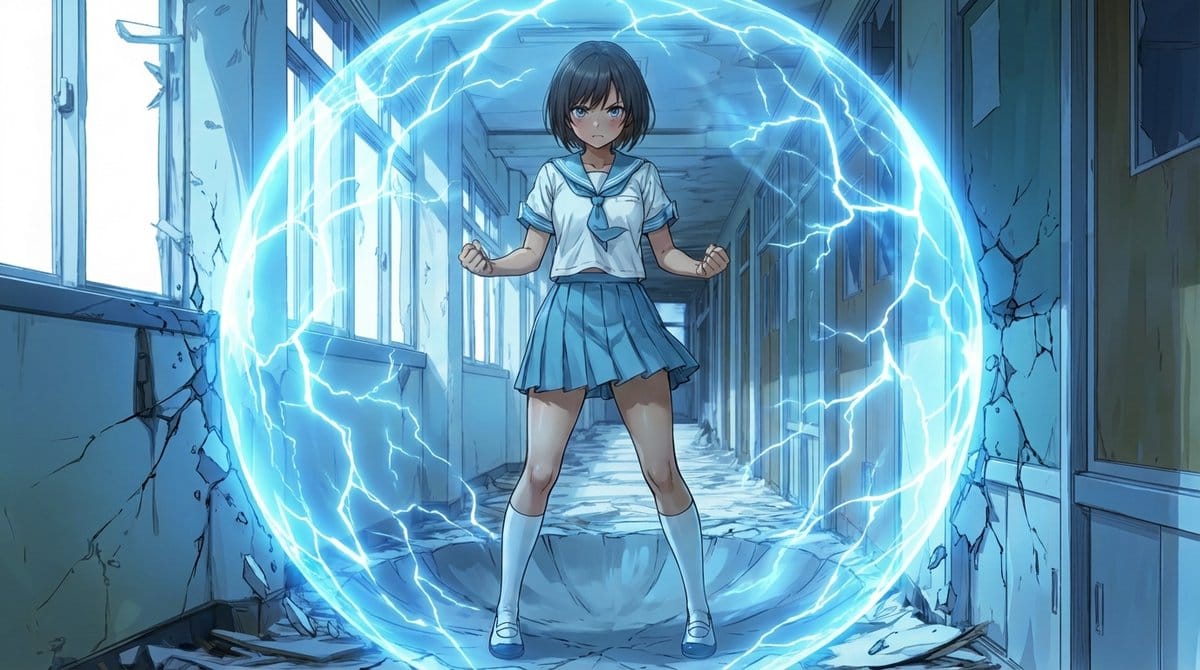
Two-Step Power Release Transformation Prompt (Japanese) - AI Generated Character Style Image
生成类似图像

This prompt is optimized for Nano-banana-pro model

Two-Step Power Release Transformation Prompt (Japanese)

A complex, two-step Japanese prompt for transforming a character's pose into an 'Awakening Stance' and then generating a 'Power Release' effect, where energy spheres expand and the ground/walls are dramatically excavated or destroyed. It uses structured J

示例提示词
[Awakening Pose Prompt] subject: >   Use the same character as reference A.   Preserve all facial features, hairstyle, clothing, body proportions, colors,   line weight, shading, and art style exactly as in the reference. composition: >   IMPORTANT: Change the framing from the reference.   The camera must be positioned **much farther away** so the character’s entire body   is fully visible **with extra space above, below, and around** the character.   The character must appear **significantly smaller** than in reference A,   occupying only about **20–30% of the frame height**.   Place the character exactly at the center of the frame with wide open space   surrounding them for later energy effects.   The field of view should be noticeably wider than the reference.   The final image must be rendered in a **16:9 aspect ratio**. action: >   Set the character in the awakening stance shown in reference B:     - feet shoulder-width apart     - both hands tightly clenched into fists     - arms slightly bent and tense     - chest slightly forward, posture firm and braced     - intense, focused expression location: >   Reuse the same background environment as reference A.   Expand the visible portion of the background **significantly**   to match the widened, zoomed-out framing.   Maintain the same textures, perspective, colors, and drawing style. style: >   Match the exact style of reference A:   identical linework, shading, coloring, and background rendering. camera_lighting: >   Use the same lighting conditions as in reference A. edit_instructions: >   Recreate the character and background from reference A exactly.   BUT modify the camera distance so the entire character fits in the frame   with **substantial space** around them.   The camera should be pulled back enough that the character appears small   within a much wider environment.   Change only:     - the camera distance (strong zoom out)     - the char
AI生成

Pro Tip:

This character style prompt has been tested and optimized for best results. You can modify it slightly to customize the output while keeping the core structure intact.

AI模型
Nano-banana-pro
作者
Category
Character Style

常见问题

关于character style提示词,你想知道的一切

如何使用这个character style提示词?

只需点击上面的“AI生成”按钮,即可跳转到我们的AI图像生成器,并且这个Character Style提示词已自动填好。你可以进一步自定义或直接生成图像。我们的AI会解读提示词,并根据你的描述创建出令人惊叹的character视觉效果。

我可以根据特定需求修改这个提示词吗?

当然可以!随意复制并定制这个提示词,以实现你的创作构想。对于character艺术作品,尝试添加风格、光照、构图或情绪等细节。你的描述越具体,AI就越能理解你的创意。浏览我们的character提示词合集,学习更多技巧。

哪些AI模型最适合生成character style图像?

这个character提示词适用于大多数现代AI图像生成器,包括Nano Banana、Flux和GPT-Image。不同的模型各有专长——Nano Banana擅长character风格,而Flux则能生成逼真的照片级效果。

怎样才算是一个好的character style提示词?

优秀的character提示词通常包含:具体的主题细节、艺术风格参考、光照条件(如柔光、戏剧性阴影)、色彩搭配、情绪/氛围以及技术规格(如4K、细节丰富、高清)。研究我们的示例提示词,可以学到有效的模式。

这个提示词可以免费使用吗?

是的!我们库中的所有提示词,无论是个人还是商业用途,都完全免费。你可以随意复制、修改,并创作出色的character艺术作品,没有任何限制。

准备好创作惊艳图像了吗?

立即使用这个提示词开始生成令人赞叹的AI图像,或者浏览我们丰富的提示词库,获取更多灵感。



