
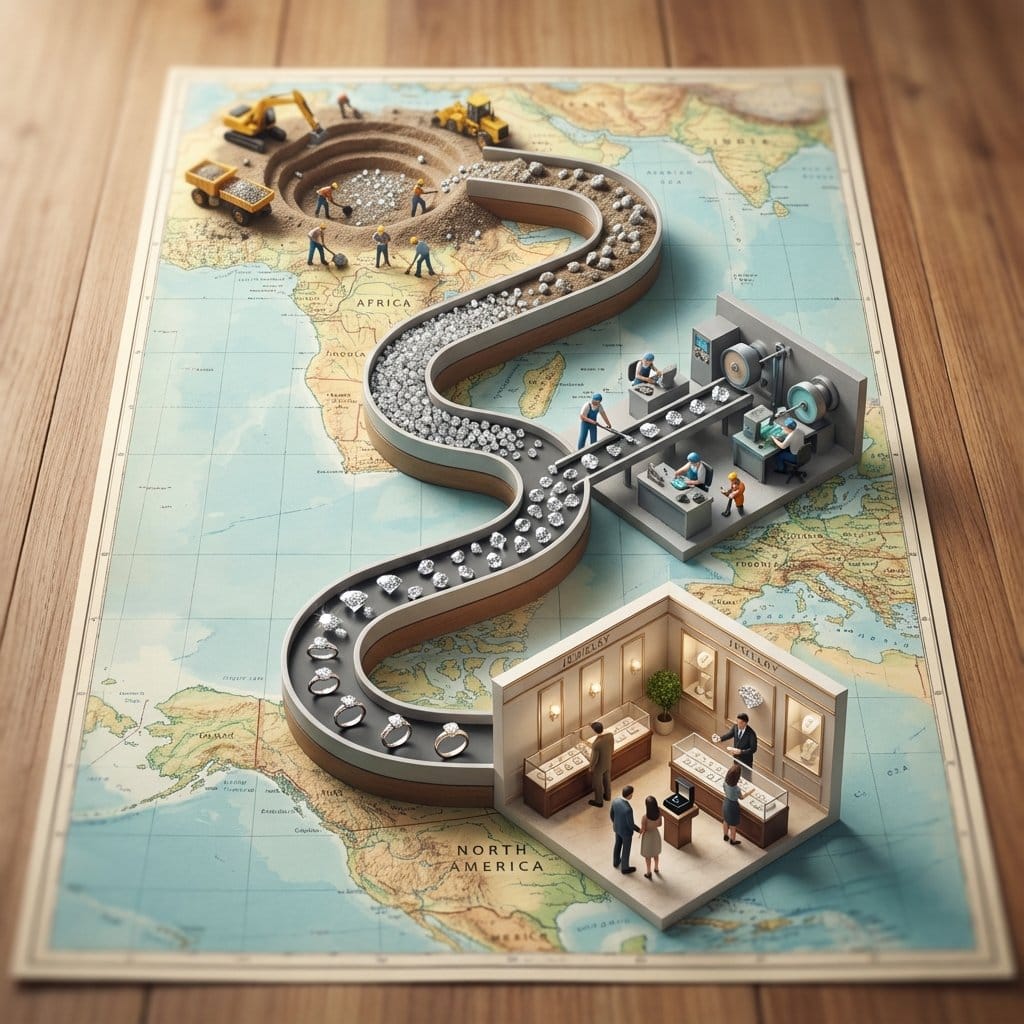
Seed to Shelf Diorama Flowchart Prompt - AI Generated Realistic Style Image
유사 이미지 생성

This prompt is optimized for Nano-banana-pro model

Seed to Shelf Diorama Flowchart Prompt

A complex, multi-step instruction prompt for visualizing the lifecycle of a product (like coffee or a diamond ring) using a miniature photography aesthetic. It requires generating a single image featuring a 'Seed to Shelf' flowchart diorama on a vintage m

예시 프롬프트
<instruction> 1. Analyze Input Variable: Input A is a Global Commodity with a distinct production lifecycle (e.g., Coffee, Chocolate/Cocoa, Wine, Denim/Cotton). Deconstruct the lifecycle into 3 Distinct Stages : Stage 1 (The Origin): The agricultural source (e.g., Coffee Plantation, Cacao Trees). Stage 2 (The Process): The industrial transformation (e.g., Roasting Plant, Fermentation Vats). Stage 3 (The Destination): The retail experience (e.g., A Hipster Cafe, A Chocolatier Shop). 2. Container (The Map Table): Goal: A "Seed to Shelf" Flowchart Diorama. The Base: A large, vintage World Map (blue oceans, pastel continents) laid flat on a wooden dining table. The Spine: A raised, winding S-Shaped Chute/Conveyor snakes through the center of the image, physically connecting the three stages. The Flow: The chute is filled with the product, which visually transforms as it moves down the path (e.g., Red Coffee Cherries at the top → → Brown Roasted Beans in the middle → → Fine Ground Powder at the bottom). 3. The Vignettes (The Stations): Construct a 3D diorama "Island" at each key point of the S-curve: Top Station (Origin): A square patch of terrain sitting on the map (e.g., South America). Detailed crops, trees, and farmers harvesting the raw material. Middle Station (Process): A compact industrial facility sitting on the map (e.g., Europe/USA). Metallic roasters, silos, smoke stacks, and factory workers. Bottom Station (Destination): An architectural Cutaway Box. The front wall is removed to reveal the interior of a shop (e.g., Espresso machines, tiny customers sitting at tables, baristas serving). 4. The Narrative Scale (The Workers): Scale: 1:87 (HO Scale) miniature figures. Action: The figures are not just standing; they are actively moving the product from the "Station" into the "Chute" (e.g., Farmers dumping baskets of cherries into the stream, Factory workers shoveling beans). 5. Lighting & Atmosphere: Camera Angle: High-Angle Perspective (45-60 degrees). Looking down the length of the table. Lighting: Natural Daylight. Bright, cheerful, and even. Shadows fall softly on the map. Depth of Field: Tilt-Shift effect. The top and bottom edges of the table are slightly blurred to make the models look tiny. Output: ONE image, Vertical Aspect Ratio (4:5), Miniature Photography, Educational Diorama aesthetic. </instruction>
AI로 생성하기

Pro Tip:

This realistic style prompt has been tested and optimized for best results. You can modify it slightly to customize the output while keeping the core structure intact.

AI 모델
Nano-banana-pro
제작자
Category
Realistic Style

자주 묻는 질문

realistic style 프롬프트에 대해 알아야 할 모든 것

이 realistic style 프롬프트는 어떻게 사용하나요?

위의 "AI로 생성하기" 버튼을 클릭하기만 하면 이 Realistic Style 프롬프트가 미리 입력된 AI 이미지 생성기로 이동합니다. 추가로 맞춤 설정하거나 바로 이미지를 생성할 수 있습니다. AI가 프롬프트를 해석하고 사용자의 설명에 따라 놀라운 realistic 비주얼을 만들어냅니다.

이 프롬프트를 특정 요구에 맞게 수정할 수 있나요?

물론입니다! 프롬프트를 복사하여 원하는 대로 자유롭게 맞춤 설정하세요. realistic 아트웍의 경우 스타일, 조명, 구도, 분위기 등에 대한 세부 정보를 추가해 보세요. 설명이 구체적일수록 AI가 창의적인 비전을 더 잘 이해할 수 있습니다. 더 많은 기술을 배우려면 realistic 프롬프트를 살펴보세요.

realistic style에 가장 적합한 AI 모델은 무엇인가요?

이 realistic 프롬프트는 Nano Banana, Flux, GPT-Image를 포함한 대부분의 최신 AI 이미지 생성기와 호환됩니다. 각 모델은 다른 측면에서 뛰어납니다. Nano Banana는 realistic 스타일에 탁월하고, Flux는 포토리얼리스틱한 결과물을 제공합니다.

좋은 realistic style 프롬프트란 무엇인가요?

훌륭한 realistic 프롬프트에는 구체적인 주제 세부사항, 아트 스타일 참조, 조명 조건(부드러운 조명, 드라마틱한 그림자), 색상 팔레트, 분위기, 기술 사양(4K, 디테일, HD) 등이 포함됩니다. 효과적인 패턴을 보려면 예시 프롬프트를 참고하세요.

이 프롬프트는 무료로 사용할 수 있나요?

네! 라이브러리에 있는 모든 프롬프트는 개인적 및 상업적 용도로 완전히 무료입니다. 제한 없이 realistic 아트웍을 복사, 수정, 제작하세요.

멋진 이미지를 만들 준비가 되셨나요?

이 프롬프트로 놀라운 AI 이미지 생성을 시작하거나, 방대한 프롬프트 라이브러리에서 더 많은 영감을 얻으세요.



