
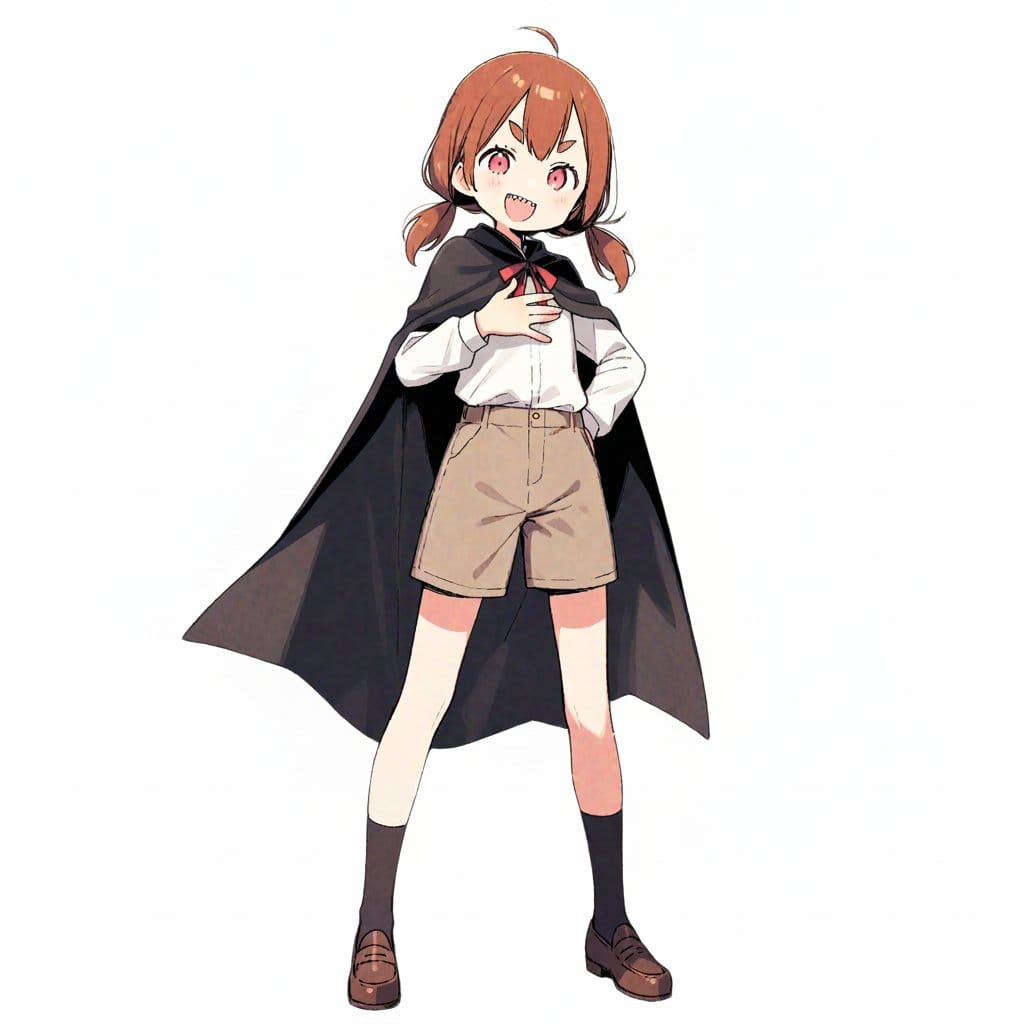
Travel Itinerary Illustration Generation Prompt - AI Generated Character Style Image
類似画像を生成

This prompt is optimized for Nano-banana-pro model

Travel Itinerary Illustration Generation Prompt

A detailed prompt for Nano Banana Pro to generate a 'hand-drawn travel itinerary' illustration based on a character reference image. It includes sections for customizable input (character features, title, destination, schedule, and packing list) and stric

プロンプト例
Generate an illustration image in the style of a travel itinerary according to the following requirements. ## 1. Input Settings ** (Please rewrite this section. If left blank, it will be treated as "Leave it to AI")** - **Character Features**: {argument name="Character Features" default="A girl with brown short hair, wearing a black cloak"} - **Name (for Title)**: {argument name="Name for Title" default="Complete Guide to the Donut Museum!"} - **Tourist Destination**: {argument name="Tourist Destination" default="Donut Museum"} - **Schedule**: [ Format: "Time : Place/Action : Short Comment (Situation or Feeling at the time)" ] - **Packing List**: ## 2. Image Generation Specifications You are an illustrator for a travel magazine. Based on the settings above, draw one "hand-drawn travel itinerary" in the following style. **【Style and Composition】** - **Aspect Ratio**: Vertical (Vertical format close to A4 paper ratio) - **Background**: Graph paper (grid notebook) texture. - **Art Style**: Warm, hand-drawn style illustration like the reference image (watercolor, marker, colored pencil touch). - **Layout**: - Place the title prominently at the top. - Timeline composition connected by arrows flowing from the top left to the bottom right. - Memo illustration of the "Packing List" in the bottom right or an empty space. **【Content and Comment Reflection】** - Draw each item in the specified "Schedule" as **5-6 small cut illustrations**. - Maintain **character consistency**. - **Comment Reflection**: - Reflect the content of the "Short Comment" in the schedule in the character's **expression and pose** (e.g., if "delicious," the cheeks should be relaxed; if "excited," the eyes should sparkle). - Place a **handwritten-style text space (like a speech bubble, sign, or writing in the margin)** next to or below each panel for the comment. - *The text in the image must be accurate Japanese. Use a font that looks like handwritten notes.* **【Decoration】** - Overall cheerful and pop atmosphere. - Decorate with masking tape, stamps, handwritten arrows, and musical note marks.
AIで生成

Pro Tip:

This character style prompt has been tested and optimized for best results. You can modify it slightly to customize the output while keeping the core structure intact.

AIモデル
Nano-banana-pro
Category
Character Style

よくある質問

character styleプロンプトについて知っておくべきことすべて

このcharacter styleプロンプトはどうやって使うのですか?

上の「AIで生成」ボタンをクリックするだけで、このCharacter Styleプロンプトが入力済みのAI画像生成ツールに移動します。さらにカスタマイズしたり、直接画像を生成したりできます。私たちのAIがプロンプトを解釈し、あなたの説明に基づいて素晴らしいcharacterビジュアルを作成します。

このプロンプトを自分の特定のニーズに合わせて変更できますか?

もちろんです!プロンプトをコピーして、あなたのビジョンに合わせて自由にカスタマイズしてください。characterアート作品の場合は、スタイル、照明、構図、雰囲気などの詳細を追加してみてください。より具体的に説明するほど、AIがあなたの創造的なビジョンを理解しやすくなります。私たちのcharacterプロンプトを閲覧して、さらなるテクニックを学びましょう。

character styleにはどのAIモデルが最適ですか?

このcharacterプロンプトは、Nano Banana、Flux、GPT-Imageなど、最新のAI画像生成ツールのほとんどで動作します。モデルによって得意分野が異なり、Nano Bananaはcharacterスタイルに優れ、Fluxはフォトリアルな結果を提供します。

良いcharacter styleプロンプトとはどのようなものですか?

優れたcharacterプロンプトには、具体的な被写体の詳細、アートスタイルの参考、照明条件(柔らかな光、劇的な影)、カラーパレット、雰囲気、技術仕様(4K、詳細、HD)などが含まれます。効果的なパターンを確認するには、サンプルプロンプトを研究してください。

このプロンプトは無料で使えますか?

はい!ライブラリ内のすべてのプロンプトは、個人用・商用ともに完全に無料です。制限なく、characterアート作品をコピー、変更、作成していただけます。

素晴らしい画像を作成する準備はできましたか?

このプロンプトを使って素晴らしいAI画像の生成を始めるか、豊富なプロンプトライブラリを探索してさらなるインスピレーションを得てください。



