
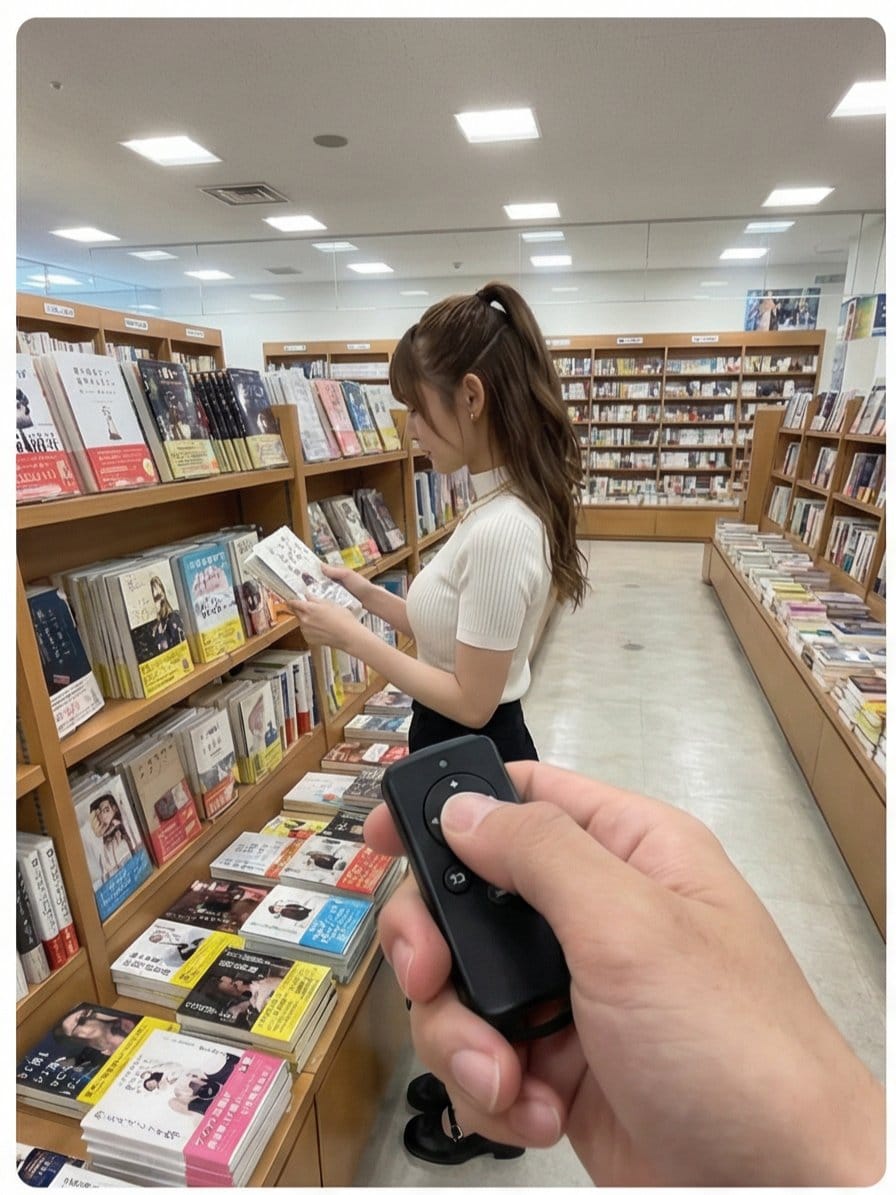
This prompt is optimized for Nano-banana-pro model
Multi-Angle Scene Generation Prompt (Oshi no Ko Style)
A Japanese prompt designed for multi-angle shot generation based on an uploaded image, creating a 2x2 grid of scenes. The narrative describes a sequence of actions involving a senior colleague (senpai) in a bookstore reacting playfully to the photographer
Pro Tip:
This realistic style prompt has been tested and optimized for best results. You can modify it slightly to customize the output while keeping the core structure intact.
Preguntas frecuentes
Todo lo que necesitas saber sobre indicaciones de realistic style
Simplemente haz clic en el botón "Generar con IA" arriba, y serás llevado a nuestro generador de imágenes con IA con esta indicación de Realistic Style pre-llenada. Puedes personalizarla más o generar imágenes directamente. Nuestra IA interpretará la indicación y creará impresionantes visuales de realistic basados en tu descripción.
¡Por supuesto! Siéntete libre de copiar la indicación y personalizarla para que coincida con tu visión. Para obras de arte de realistic, intenta añadir detalles sobre estilo, iluminación, composición o ambiente. Cuanto más descriptivo seas, mejor podrá la IA entender tu visión creativa. Explora nuestras indicaciones de realistic para aprender más técnicas.
Esta indicación de realistic funciona con la mayoría de los generadores de imágenes de IA modernos, incluyendo Nano Banana, Flux y GPT-Image. Diferentes modelos sobresalen en diferentes aspectos - Nano Banana es excelente para estilos realistic, mientras que Flux ofrece resultados fotorrealistas.
Las grandes indicaciones de realistic incluyen: detalles específicos del sujeto, referencias de estilo artístico, condiciones de iluminación (luz suave, sombras dramáticas), paleta de colores, ambiente/atmósfera y especificaciones técnicas (4K, detallado, HD). Estudia nuestras indicaciones de ejemplo para ver patrones efectivos.
¡Sí! Todas las indicaciones en nuestra biblioteca son completamente gratuitas para uso personal y comercial. Copia, modifica y crea increíbles obras de arte de realistic sin restricciones.
Explora estas indicaciones similares de realistic de nuestra colección:

Wide quote card with portrait and Chines...
A prompt for generating a wide quote card featuring a famous...

Premium liquid glass Bento grid product...
Create an Infographics with bento grid 8 module layout, user...

Hand-drawn style header image prompt fro...
Prompt for a hand-drawn style header image of a person intro...

Watercolor map of Germany with labeled s...
A German prompt to generate a watercolor-style map of German...
¿Listo para crear imágenes increíbles?
Empieza a generar impresionantes imágenes con IA usando esta indicación o explora nuestra extensa biblioteca de indicaciones para más inspiración.