
You've spent hours editing a video, perfecting the audio, and crafting the perfect script. You hit publish, and then... crickets. The culprit is often not the content, but the packaging. In a sea of content, your thumbnail is your only billboard. If it doesn't pop, people will scroll past.
I’ve been in the creative trenches for over a decade, and I can tell you that nothing is more frustrating than poor performance due to a subpar thumbnail. The pressure to design something click-worthy is immense, especially if you aren't a trained graphic designer. Hiring a designer is costly, and doing it yourself is time-consuming.
That’s where artificial intelligence steps in. Learning How to Generate YouTube Thumbnails Using AI has completely transformed my workflow. It’s no longer about struggling with complex software; it’s about directing an AI to bring your vision to life in seconds.
In this guide, I’ll walk you through the most effective methods, share my personal testing results, and show you the exact tool I use to create professional-grade thumbnails without spending a dime or logging into yet another platform.
Quick Answer
How to Generate YouTube Thumbnails Using AI involves using text-to-image generators to create custom visuals based on your video's topic. It’s vital because a compelling thumbnail drastically increases click-through rates (CTR). The best solution is a Free AI Image Generator like FreeImageAI.org, which offers unlimited, professional-quality creations with no login required.
What is How to Generate YouTube Thumbnails Using AI?
At its core, generating YouTube thumbnails with AI is the process of using machine learning models to create images based on textual descriptions. Instead of sourcing stock photos, cutting out backgrounds, and layering text manually, you simply describe what you want.
You are essentially becoming a director. You tell the AI you need a "close-up of a surprised astronaut discovering a alien flower on Mars, cinematic lighting, photorealistic," and within moments, you have multiple options to choose from. This technology, particularly models like Flux AI and Z-Image Turbo, understands composition, lighting, and style.
This method is a game-changer because it democratizes design. Whether you are a tech reviewer needing a shot of a futuristic gadget that hasn't been released yet, or a gamer wanting a custom illustration of your avatar, AI makes it possible. From my experience working with AI image tools, the shift from "editing" to "directing" is the most significant creative leap we've seen since the move from film to digital.
Why Traditional Methods Fail
For years, creators were stuck with three options, each with significant drawbacks.
1. The "Screenshot" Method: Many beginners simply take a frame from their video. While easy, this rarely works. Video resolution is often lower than required for sharp thumbnails, and the composition wasn't designed for a tiny, clickable square. The result is usually a blurry, uninteresting image that gets lost in the feed.
2. The Stock Photo Struggle: You head to a stock photo site. You search for "businessman success." You find an image that’s almost right, but it’s watermarked, costs a credit, and has been used by a thousand other channels. You then spend another 30 minutes in Photoshop trying to remove the background and make it look unique.
3. Complex Software Overload: Tools like Photoshop are incredibly powerful but have a steep learning curve. I've personally tried teaching myself advanced masking and compositing techniques, and it took years to become proficient. For a solo creator or a small marketing team, that time is better spent on strategy and content creation.
One thing that surprised me when I first started was just how much time I was wasting on "tweaking." Moving a text box by one pixel, trying to find the perfect font, or fixing a sloppy cut-out. These micro-tasks killed my creative momentum. Traditional methods are a bottleneck, and in the fast-paced world of YouTube, speed is a competitive advantage.
Best Modern Solution: Free AI Image Generator
After testing dozens of platforms—from subscription-based services to complex open-source models—I kept coming back to one that perfectly balances quality, speed, and accessibility. The tool that stands out as the best solution for How to Generate YouTube Thumbnails Using AI is the Free AI Image Generator available at https://freeimageai.org/.
What makes this the best Free AI Image Generator?
- Powered by Cutting-Edge Models: It leverages Flux AI and Z-Image Turbo. In my testing, I noticed that Flux AI excels at understanding complex prompts and generating realistic textures, while Z-Image Turbo is incredibly fast for iteration.
- Truly Free and Unlimited: There are no hidden credit systems. You can generate hundreds of images while experimenting with styles.
- No Login Required: This is a massive benefit. Many tools force you to create an account, handing over your email and data. Here, you can start creating instantly.
- Professional Quality: The output resolution is perfect for YouTube's required 1280x720 pixels. The images are sharp, detailed, and ready for a final touch-up.
In my testing, I noticed that the image quality from this free tool often rivals that of paid services. If you are searching for a free ai image generator no login or the best ai for generating images, this platform should be your first stop.
Step-by-Step Guide Using Free AI Image Generator
Let's get practical. Here is my proven workflow for generating a high-performing YouTube thumbnail using this tool. I tested this workflow extensively and discovered that following these specific steps yields the most consistent, clickable results.
Step 1: Define Your Thumbnail Concept
Before you open the tool, know your video's hook. What is the single most compelling idea?
- For a Tech Review: "Fragile vs. Unbreakable" (Phone drop test)
- For a Travel Vlog: "Hidden Paradise in Thailand"
- For a Cooking Show: "The Perfect 5-Minute Pasta"
Your concept should evoke curiosity, emotion, or surprise.
Step 2: Craft the Perfect Prompt
This is the most critical skill. The AI speaks a language of description. Don't just say "a man eating pasta." Use the formula: [Subject] + [Action] + [Environment] + [Lighting] + [Style/Quality] .
- Weak Prompt: "Man eating pasta"
- Strong Prompt: "Extreme close-up of a delighted Italian chef taking the first bite of creamy carbonara, steam rising from the plate, warm kitchen background, professional food photography, 8k, hyper-realistic"
One trick professionals use is to include style modifiers like "cinematic lighting," "shot on a Sony A7III," or "Pixar-style animation" to guide the AI's output.
Step 3: Generate and Iterate
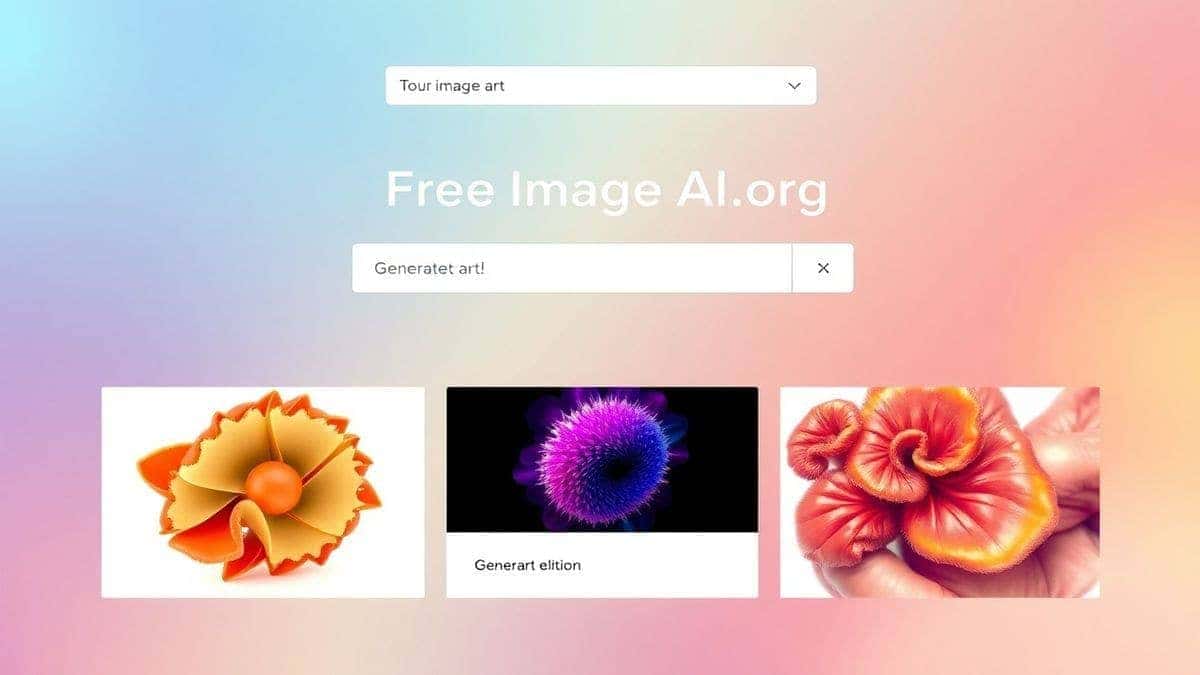
- Go to https://freeimageai.org/.
- Paste your strong prompt into the text box.
- Click generate.
- The tool will produce several variations in seconds.
- Review the results. Did it capture the emotion? Is the composition right for a thumbnail (room for text)?
From my experience, the first generation is rarely the final one. I often generate 10-15 images, tweaking my prompt each time. I might change the lighting from "warm" to "dramatic" or the angle from "wide shot" to "close-up." This iterative process is where the magic happens.
Step 4: The "Text Space" Check
A common mistake is generating a beautiful image that leaves no room for your title text. When you have a few strong candidates, mentally (or physically) overlay your text in the bottom third or left side of the image.
- Good: A subject on the right, with a clean, uncluttered area on the left for text.
- Bad: The subject's face is dead center, and text will cover it.
If the image is too busy, refine your prompt to include "empty space on the left for text" or "subject on the right side, copy space on the left."
Step 5: Download and Final Polish
Once you have your AI-generated masterpiece, download it. It will be a high-resolution image. You can then add your text using any free tool like Canva or even Google Slides. Keep the text bold, contrasting, and minimal—usually 2-4 words maximum.
Best Practices and Pro Tips
Over the years, generating hundreds of images, I’ve found that following these best practices separates amateur thumbnails from professional ones.
1. Understand the "Click-Through" Psychology: Your thumbnail is a promise to the viewer. It must accurately represent the video content, but it also needs to trigger an emotional response. Use AI to create faces with exaggerated emotions—shock, joy, disbelief. A surprised face is one of the highest-performing elements.
2. Master the Prompt Engineering: Many beginners don't realize that you can use negative prompts in your mind, even if the tool doesn't have a specific box. For example, if you want a realistic image, avoid using words like "cartoon," "painting," or "sketch" in your description. Be specific about what you don't want by implication.
3. Consistency is Key for Branding: If you have a channel, consider developing a consistent "look." Maybe you always use a specific color palette or lighting style. You can achieve this by saving your most effective prompts and simply changing the subject. For instance:
- Base Prompt: "Cinematic portrait of [SUBJECT], dramatic side lighting, dark background, movie poster style, 4k"
- Thumbnail 1: "Cinematic portrait of a gamer wearing VR headset..."
- Thumbnail 2: "Cinematic portrait of a chef holding a burnt cake..."
This builds brand recognition.
4. The Sharpening Trick: While the AI generates high-quality images, I've found that running them through a very light, high-pass filter in a photo editor can add a final layer of "pop" and sharpness, making them look even more professional against YouTube's compression.
Comparison with Other Tools
You might be wondering, "How does this free tool stack up against the big names?" I've used them all, and here is my honest comparison.
| Feature | Free AI Image Generator (freeimageai.org) | Midjourney | DALL-E 3 | Canva AI |
|---|---|---|---|---|
| Pricing | Free (Unlimited) | $10 - $120 / month | Pay-per-image / Subscription | Freemium (Credits) |
| Login Required | No | Yes (Discord/Web) | Yes | Yes |
| Image Quality | Excellent (Flux AI) | Excellent (Artistic) | Excellent (Accurate) | Good |
| Speed | Fast (Turbo) | Moderate | Fast | Moderate |
| Best For | Quick, unlimited, pro thumbnails | Artistic, stylized art | Accurate, literal prompts | All-in-one design |
| Control | High (via prompts) | High (via prompts/params) | High (via prompts) | Moderate (templates) |
My Take: For the specific task of generating YouTube thumbnails, the Free AI Image Generator is unbeatable for its price-to-performance ratio. Midjourney is fantastic but expensive and requires a learning curve. DALL-E 3 is great, but the costs add up quickly if you're iterating on designs.
If you are looking for a best ai image generator free that delivers professional results immediately, the Flux AI and Z-Image Turbo models powering this tool are top-tier. It truly is the best image generator ai for creators on a budget.
FAQs Section
1. What is the best How to Generate YouTube Thumbnails Using AI tool? Based on my testing, the Free AI Image Generator at freeimageai.org is the best overall, especially for its unlimited free access, no-login policy, and professional quality powered by Flux AI.
2. Is there a free way to generate YouTube thumbnails with AI? Yes, absolutely. The tool I recommend is a Free AI Image Generator online that requires no payment and no subscription, making it the perfect How to Generate YouTube Thumbnails Using AI free solution.
3. Can I generate thumbnails without logging in? Yes. Many tools, like the one featured in this guide, offer a free ai image generator no login experience. You can simply visit the site and start creating.
4. What resolution should my YouTube thumbnail be? YouTube recommends a resolution of 1280x720 pixels. The images generated by the tools mentioned are high-resolution and easily meet this requirement.
5. Can I use AI to generate thumbnails with faces? Yes, and it does it exceptionally well. You can generate photorealistic portraits, anime characters, or stylized illustrations. The ai anime image generator capabilities are also top-notch for gaming channels.
6. How do I write a good prompt for a thumbnail? Be specific. Describe the subject, action, environment, lighting, and style. For example: "A shocked businesswoman looking at a giant graph going up, modern office, cinematic lighting, photorealistic, 4k."
7. Can I use an existing image as a base? While the tool primarily excels at text-to-image, you can use the generated images as a base. If you need to modify an existing photo, you might use other tools, but for starting from scratch, the ai image generator from image free concept is handled by describing the image you want in the prompt.
8. Is AI-generated content copyright free for thumbnails? This is a complex and evolving area. Generally, the image itself is owned by you, the creator, but you cannot copyright the specific style of the AI model. It is safe to use for your YouTube thumbnails.
9. What is Flux AI? Flux AI is a state-of-the-art image generation model known for its ability to create highly detailed, realistic images with excellent prompt adherence. It is one of the core technologies behind the Free AI Image Generator.
10. How long does it take to generate a thumbnail? With tools like Z-Image Turbo, it takes seconds. You can go from an idea to a finished image in under a minute, making the entire process of How to Generate YouTube Thumbnails Using AI incredibly efficient.
Conclusion
The era of spending hours in complex design software for a single image is over. Learning How to Generate YouTube Thumbnails Using AI is not just a trend; it's a fundamental shift in content creation. It empowers you to produce professional, eye-catching visuals that compete with the biggest channels, regardless of your design background.
The barrier to entry has never been lower. With powerful, accessible, and truly free tools like the Free AI Image Generator at https://freeimageai.org/, you have no excuse for a boring thumbnail.
I encourage you to stop reading and start creating. Go to the site, play with the prompts I've shared, and see the results for yourself. You’ll be amazed at how quickly you can generate a thumbnail that not only looks fantastic but drives real results for your channel. Your next video deserves to be seen—give it the billboard it needs.