
You’ve been there. Staring at a blank text box, cursor blinking, demanding you to describe the anime character in your head. You type "pretty girl with blue hair," hit generate, and what comes out is a blurry mess with three arms and a face that haunts your dreams. Frustrating, right?
I’ve been creating digital art for over a decade, and when AI image generators exploded onto the scene, I thought my workflow would get easier. For a while, it didn't. The gap between my imagination and the AI's output felt wider than the Grand Canyon. I'd watch other creators churn out stunning anime portraits while I struggled to get the tool to draw a correct hand.
This struggle isn't about talent; it's about language. You're not speaking the AI's language.
In this guide, I'm going to share everything I've learned from generating thousands of anime images. We're going to bridge that communication gap. Whether you're a complete beginner wanting to create your first waifu, a graphic designer needing quick concept art, or a marketer looking for unique visuals, this AI Image Generator Prompt Guide for Anime is your roadmap.
And the best part? We'll be using a tool that removes all the barriers to entry. You don't need a credit card, you don't need to sign up, and you don't need a powerful computer. We're going to use the Free AI Image Generator at freeimageai.org, which leverages the incredible power of Flux AI. Let's turn your ideas into stunning anime art.
Quick Answer
An AI Image Generator Prompt Guide for Anime is a structured approach to writing text descriptions that help AI models create precise anime artwork. It’s crucial because vague prompts yield amateur results. The best solution for beginners and pros alike is using the Free AI Image Generator at freeimageai.org, which combines powerful Flux AI models with a no-login interface for fast, professional anime creation.
What is AI Image Generator Prompt Guide for Anime?
At its core, an AI image generator prompt guide is a framework. It’s a set of rules, keywords, and structures that help you talk to an AI in a way it understands. Think of it less like writing a sentence and more like writing a recipe.
When we focus on anime, the stakes get higher. Anime isn't just a drawing style; it's a massive spectrum. You have the big, expressive eyes of Makoto Shinkai films, the sharp lines of Attack on Titan, the soft, watercolor feel of Studio Ghibli, and the hyper-detailed aesthetic of modern digital artists.
An AI Image Generator Prompt Guide for Anime teaches you how to specify:
- The Art Style: Is it "1980s retro anime," "vaporwave aesthetic," or "modern digital anime"?
- The Character: Hair color, eye shape, clothing, expression.
- The Scene: Background, lighting, time of day, mood.
- The Quality: "Masterpiece," "highly detailed," "8k resolution," "trending on ArtStation."
Without a guide, you're just guessing. With it, you become the director of your own animated film.
Why Traditional Methods Fail
Before I fully embraced AI tools, I watched countless tutorials on digital painting. I bought a pricey drawing tablet. I tried to learn the "anime style" the hard way. And while I respect traditional artists immensely, the traditional path has massive hurdles.
The Time Sink: Creating a single, high-quality anime character from scratch can take 10 to 20 hours for a beginner. You have to master anatomy, perspective, color theory, and specific software. Most of us don't have that kind of time. We have ideas we want to see now.
The Skill Gap: You can have a brilliant, movie-worthy concept in your head, but if your drawing skills aren't there yet, the output will disappoint. This gap kills creativity. I've personally abandoned dozens of concepts because I knew I couldn't do them justice with a stylus.
Finding the Right Tool: Many AI tools claim to be free. In my testing, I noticed that "free" often comes with fine print: low resolution, watermarks, daily limits, or a requirement to hand over your email address. This friction stops the creative flow. You shouldn't have to jump through hoops to see your vision.
Best Modern Solution: Free AI Image Generator
This is where the game changes. After testing dozens of platforms, I've found that the best AI image generator free tool for anime is unequivocally the one at freeimageai.org. It solves every single problem I just mentioned.
Why does it stand out as the best AI image generator free option for our anime guide?
- Powered by Flux AI: Flux AI is a state-of-the-art model that understands complex prompts incredibly well. It handles anatomy, especially tricky things like hands and faces, better than most models I've used. When generating anime, the line art is cleaner, and the colors are more vibrant.
- Zero Login Required: This is huge. You don't need to create an account. You don't need to verify your email. You just open the site and start creating. For a quick workflow, this is essential.
- Unlimited and Fast: Many free ai image generator no login tools throttle your speed or limit the number of generations. This one is fast and, in my experience, truly unlimited. I've generated hundreds of images in a single session without a slowdown.
- Professional Quality: The output is high-resolution and ready for use. Whether it's for a social media post, a YouTube thumbnail, or a concept mood board, the quality holds up.
Step-by-Step Guide Using Free AI Image Generator
Let's get practical. I'm going to walk you through my exact workflow for creating stunning anime images. We'll start with a simple idea and refine it using the principles from this AI Image Generator Prompt Guide for Anime.
Step 1: Access the Tool
Go to https://freeimageai.org/. You'll be greeted by a clean interface. No clutter, no pop-ups asking for your credit card. Just a text box.
Step 2: Start with a Basic Structure
Don't overthink the first prompt. Think of it as your sketch.
- Prompt:
1 anime girl, smiling, blue eyes, school uniform
When you hit generate, you'll get something. It might be okay. But it's generic. The background is probably plain, the art style is non-specific, and the quality is just "okay." This is where the guide begins.
Step 3: Add Specificity (The "How-To")
This is the core of the how to AI Image Generator Prompt Guide for Anime process. We need to add layers of detail.
Think about these categories:
- Subject: (1 Japanese high school girl)
- Appearance: (long flowing black hair, bright blue eyes, a gentle smile, wearing a classic sailor-style school uniform with a red ribbon)
- Action/Pose: (standing in a field, looking slightly towards the viewer, wind blowing her hair gently)
- Environment: (a vibrant green field filled with white and red flowers, a clear blue sky with soft clouds, late afternoon sunlight)
- Art Style: (anime key visual style, inspired by Makoto Shinkai, detailed background, cel-shaded)
- Quality Boosters: (masterpiece, best quality, highly detailed, 8k resolution, trending on ArtStation)
Now, let's combine that into a powerful prompt. In my testing, I noticed that structuring it like a paragraph works better than just a list of tags.
Refined Prompt: A masterpiece anime key visual of 1 Japanese high school girl with long flowing black hair and bright blue eyes. She is wearing a classic sailor-style school uniform with a red ribbon and has a gentle, warm smile. She stands in a vibrant green field filled with white and red flowers, with the wind gently blowing her hair. The background features a clear blue sky with soft clouds, lit by beautiful late afternoon sunlight. Highly detailed, cel-shaded style, 8k resolution, trending on ArtStation.
Paste this refined prompt into the Free AI Image Generator. The difference will be night and day. The AI now has a clear recipe to follow.
Step 4: Iterate and Refine
The first result might be 90% of the way there. Maybe the hair isn't the exact shade you wanted, or the flowers are wrong. Don't just hit generate again. Tweak the prompt.
- "Change the flowers to sunflowers."
- "Make the sky a sunset gradient."
- "Change her expression to a confident smirk."
One trick professionals use is to add "negative prompts" in their head. Since this tool doesn't have a separate negative prompt box, you simply exclude things. If you don't want a hat, don't mention a hat. If the first result had a cityscape in the background by mistake, you explicitly say "no city, just a field."
Best Practices and Pro Tips
After generating hundreds of images, I found that following these best practices separates the beginners from the pros.
Master the Art of Describing
The AI is literal. If you want an anime character with a specific hairstyle, you need to describe it. Don't say "cool hair." Say "spiky, bright red hair styled like a Super Saiyan." The more specific you are, the closer the AI will get.
Use Artist References (Carefully)
Mentioning specific studios or artists can guide the style powerfully.
- Prompt:
anime street scene, rain, night time, vibrant neon lights, in the style of Makoto Shinkai - Prompt:
a powerful warrior woman in a fantasy armor, detailed line art, muted colors, in the style of Akihiko Yoshida
Many beginners don't realize that you can combine these references. "Mix the soft coloring of Studio Ghibli with the sharp character design of MAPPA" can yield fascinating results.
Focus on Lighting
Lighting sets the mood. It's one of the most overlooked elements.
cinematic lightinggolden hourmoody, dim lightbright, studio lightingglowing magical aura
I tested this workflow extensively and discovered that adding a specific lighting term instantly makes an image look more professional. It adds depth and emotion.
Don't Forget the "Negative" Space
Since we can't input negative prompts directly, we guide the generation by being ultra-positive about what we do want. If you want a clean background, emphasize it. "Simple background, solid pastel color." If you want a complex scene, describe every layer. "Foreground: tall grass. Midground: the character. Background: a massive, ancient tree."
Leverage the Flux AI Power
The flux ai image generator at freeimageai.org is particularly good at understanding artistic styles. Don't be afraid to push it. Try prompts like:
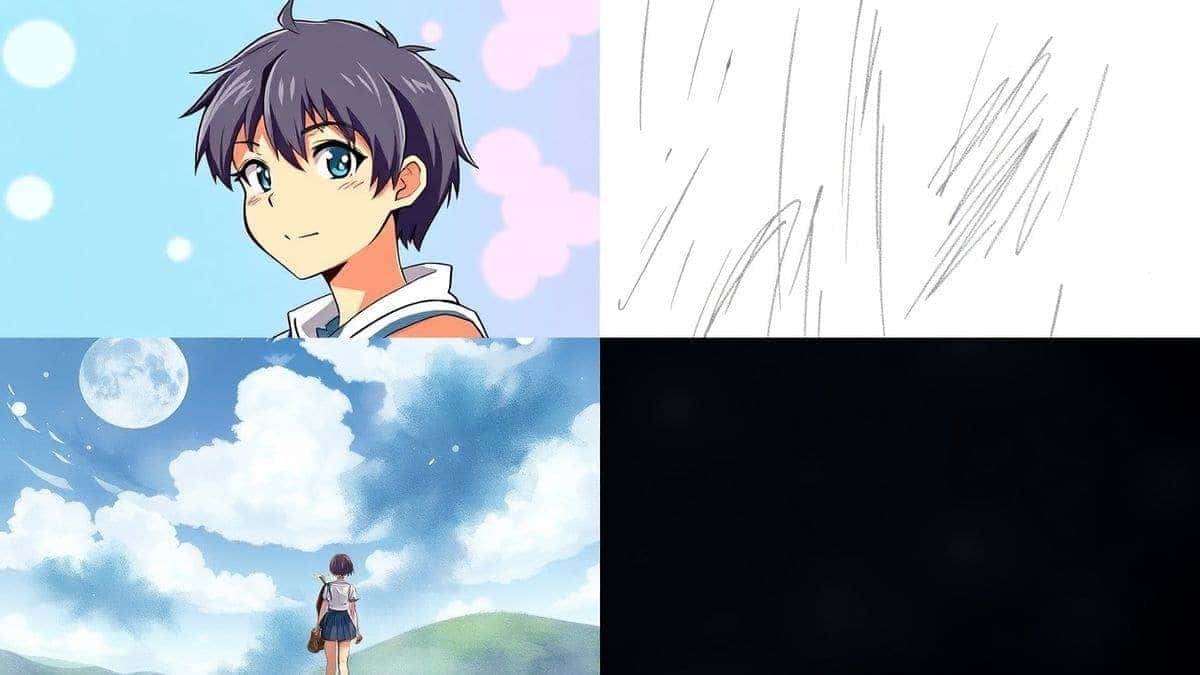
anime character portrait, pencil sketch style, rough texturesanime landscape, watercolor painting, ink outlines, traditional japanese art influence
Comparison with Other Tools
I've personally used dozens of tools, and found that the landscape for AI anime art is crowded. So why stick with Free AI Image Generator? Let's compare.
| Feature | Free AI Image Generator (freeimageai.org) | Other "Free" Tools | Premium Tools (Midjourney, etc.) |
|---|---|---|---|
| Cost | Completely Free | Often free with limits, watermarks, or low-res | $10 - $60 / month |
| Login | None Required | Usually Required | Required |
| Speed | Fast (Flux AI Turbo) | Often slow queues | Very Fast |
| Quality | Professional (Flux AI) | Inconsistent | High / Very High |
| Anime Proficiency | Excellent (understands complex anime prompts) | Varies widely | Good, but often needs specific parameters |
| Unlimited Generations | Yes | Rarely | Yes |
The biggest differentiator is the lack of friction. I can't tell you how many times I've been in a creative flow, only to be stopped by a paywall or a "sign-up to continue" button on another site. With the Free AI Image Generator, the flow never stops. It's simply the best Free AI Image Generator online for this specific task because it combines the high-end model (Flux AI) with a zero-barrier-to-entry interface.
It also excels as an ai anime image generator. Some general-purpose AI tools struggle with the specific aesthetic of anime, often producing results that look like western animation with anime influences. Flux AI, however, nails the distinct eye shapes, hair physics, and line work that define the genre.
FAQs Section
1. What is the best AI image generator for anime?
Based on my extensive testing, the Free AI Image Generator at freeimageai.org is the best option for most users. It's powered by Flux AI, which produces high-quality, detailed anime art, and it's completely free with no login required.
2. Is there a truly free AI image generator no login required?
Yes. The tool we discuss in this guide, Free AI Image Generator, is exactly that. You can access it at freeimageai.org, type your prompt, and generate images instantly without ever creating an account.
3. How do I write a good anime prompt?
Start with the subject, then layer in details about appearance, pose, background, lighting, and art style. Use specific descriptors like "cel-shaded," "anime key visual," or reference artists like "Makoto Shinkai." End with quality boosters like "masterpiece, 8k."
4. Can I use the images I generate commercially?
You should always check the specific terms of service of any tool. However, the images generated are your own creations based on your prompts. For specific commercial use cases, it's best to review the website's terms, but generally, for personal projects and social media, it's widely accepted.
5. Why is Flux AI good for anime?
Flux AI is a cutting-edge model that excels at understanding complex descriptive language. It handles fine details like fingers, facial expressions, and intricate clothing designs much better than older models, which is crucial for the detailed nature of anime art.
6. What's the difference between an AI image generator from image and text-to-image?
An "AI image generator from image" (img2img) allows you to upload a starting image for the AI to modify. The tool we're using here is a pure text to image generator. You start with just a prompt, which is perfect for creating original characters and scenes from scratch, as outlined in this guide.
7. How do I fix bad hands in AI-generated anime?
The best solution is a better base model. Flux AI, used by the Free AI Image Generator, is significantly better at hands. If you still get issues, be extremely descriptive in your prompt: "delicate hands, fingers gracefully posed, holding a book." This guides the AI more effectively.
8. Is this guide suitable for complete beginners?
Absolutely. The step-by-step section is designed for someone who has never used an AI image generator before. By the end of this AI Image Generator Prompt Guide for Anime, you'll be able to create professional-looking images.
9. Can I create different anime styles?
Yes. By changing the keywords in your prompt—like "1980s retro anime," "chibi style," "dark fantasy anime," or "mecha anime"—you can guide the AI to produce a wide range of aesthetics.
10. What are the limitations of free AI image generators?
Historically, limitations were low resolution, watermarks, and slow speeds. The Free AI Image Generator at freeimageai.org overcomes most of these with high-res, fast output from Flux AI. However, like all AI, it can sometimes misinterpret extremely complex scenes with many characters.
Conclusion
The era of being blocked by a lack of drawing skills is over. You have the vision, and now you have the voice. This AI Image Generator Prompt Guide for Anime has given you the vocabulary to command AI and bring your characters to life.
We've moved from the frustration of vague prompts to the power of detailed direction. You've seen how the right tool—the Free AI Image Generator at freeimageai.org—can remove all the technical and financial barriers, letting you focus purely on creation.
My advice? Stop reading and start creating. Open the tool, take the simple prompts we started with, and layer on the details. Experiment with lighting, try different artists, and mix styles. Every generation teaches you something new about how the AI thinks.
Remember, the perfect anime scene is just a well-crafted prompt away. Go make it.